Home Blog Page 8

Understanding Multidistrict Litigation (MDL) Cases

0

When dozens — or even thousands — of people file lawsuits over the same product, drug, or disaster, the court system faces a serious logistical challenge. That’s where Multidistrict Litigation, commonly known as MDL, comes in. For anyone navigating a complex legal claim, understanding how MDL works can make a significant difference in managing expectations and making informed decisions.

What Is Multidistrict Litigation?

MDL is a federal legal procedure that consolidates multiple civil cases sharing common factual questions into a single federal district court. The goal is efficiency. Rather than having hundreds of individual judges across the country rule on the same pretrial motions, one judge oversees the consolidated proceedings.

This process is managed by the U.S. Judicial Panel on Multidistrict Litigation (JPML), which evaluates whether cases meet the criteria for consolidation and assigns them to an appropriate transferee court.

MDL cases most commonly arise from:

  • Mass tort claims involving defective products or dangerous drugs
  • Data breach and consumer fraud lawsuits
  • Aviation and transportation disasters
  • Securities and antitrust litigation

How the MDL Process Works

Once the JPML consolidates cases into an MDL, the transferee judge handles all pretrial proceedings — discovery, motions, and evidentiary hearings — for every case in the MDL. This eliminates redundant litigation and allows attorneys to pool resources, share evidence, and develop stronger arguments collectively.

A critical element of MDL is the bellwether trial. These are a small selection of representative cases tried early in the process. Their outcomes help both sides gauge how juries respond to the evidence and arguments, which often drives settlement negotiations for the larger group.

If no global settlement is reached, cases that haven’t settled are eventually remanded back to their original federal districts for individual trials.

MDL vs. Class Action: What’s the Difference?

A common misconception is that MDL and class action lawsuits are the same. They’re not.

In a class action, all plaintiffs are treated as a single unified group and share one legal outcome. In an MDL, each plaintiff retains their individual case. Every person still has their own claim, their own attorneys, and potentially their own settlement amount based on the specific facts of their situation.

This distinction matters enormously. MDL plaintiffs maintain more individual control over their cases, which can be both an advantage and a responsibility.

The Role of Attorneys in MDL Cases

Experienced attorneys are essential in MDL proceedings. Because the cases are highly complex and involve coordinated legal strategy across massive groups of plaintiffs, the court typically appoints a Plaintiffs’ Steering Committee (PSC) — a group of lead attorneys who manage the overall direction of the litigation on behalf of all plaintiffs.

Individual plaintiffs still work with their own attorneys, who handle the specifics of their personal claims, communicate with their clients, and ensure that individual circumstances are properly represented even within the larger MDL framework.

Choosing the right attorney matters. Attorneys with MDL experience understand the procedural nuances, the importance of timely filing, and how to position an individual claim effectively within the broader litigation.

Should You Join an MDL?

If your case shares common facts with others already part of an MDL, joining can offer real advantages — shared legal resources, streamlined discovery, and stronger negotiating leverage during settlement discussions.

However, it’s not automatic. You’ll need to work with qualified attorneys to evaluate whether your circumstances align with the MDL and what strategy best serves your interests.

MDL litigation moves on its own timeline, often spanning years. Understanding the process from the start helps plaintiffs stay informed, patient, and prepared for whatever comes next.

5 Reasons Cincinnati Businesses Are Switching to Managed IT Services

0

Cincinnati’s business community is growing, and with that growth comes increasing pressure to stay competitive, secure, and efficient. More local businesses — from small startups in Over-the-Rhine to established firms in Blue Ash — are making the move to managed IT services. It’s not a trend. It’s a strategic shift. Here’s why.


1. Predictable Costs Replace Surprise Expenses

Traditional IT support often means paying for repairs after something breaks. That reactive model is unpredictable and expensive. Managed IT services flip that model entirely, offering a flat monthly fee that covers monitoring, maintenance, and support.

For Cincinnati business owners managing tight budgets, that predictability is a game-changer. You know exactly what you’re spending on IT every month — no surprises, no emergency invoices.


2. Cybersecurity Threats Are Getting Harder to Ignore

Cyberattacks aren’t just a concern for large corporations. Small and mid-sized businesses are frequent targets, and a single breach can be devastating. Managed IT providers deliver continuous security monitoring, threat detection, and rapid response — protections that would cost far more to build in-house.

Cincinnati businesses operating in healthcare, finance, and legal sectors are especially motivated by this. Compliance requirements demand strong security practices, and managed IT services help meet those standards without building an entire internal security team.


3. Access to Enterprise-Level Expertise

Hiring a full internal IT department is out of reach for most small and mid-sized businesses. A managed IT services provider gives you access to a team of specialists — network engineers, cybersecurity experts, cloud architects — without the overhead of full-time salaries and benefits.

That means Cincinnati businesses can punch above their weight, leveraging the same quality of IT support that larger competitors enjoy.


4. Downtime Becomes Far Less Common

Every minute your systems are down, your business is losing money. Managed IT services focus heavily on proactive monitoring — identifying and resolving potential issues before they become outages.

Rather than waiting for something to fail, your provider is watching your systems around the clock. For Cincinnati businesses where operations depend on uptime, this shift from reactive to proactive support directly protects revenue and customer trust. The additional monitoring and maintenance can also extend the lifespan of your equipment, saving you money in the long run.


5. Scalability That Grows With Your Business

Business needs change. A managed IT services model is built for flexibility. Whether you’re onboarding new employees, expanding to a second location, or adopting new software, your IT infrastructure scales with you.

There’s no need to renegotiate contracts or hire additional staff every time your business evolves. Your managed IT provider adjusts to meet your new requirements — quickly and efficiently.


The Bottom Line

Cincinnati businesses aren’t switching to managed IT services because it’s the popular thing to do. They’re making the switch because it makes financial and operational sense. Predictable costs, stronger security, expert support, reduced downtime, and built-in scalability make it one of the smartest investments a growing business can make.

If your current IT setup is holding you back, it might be time to explore what managed IT services can do for your business.

What shrink film is used for in 7 common shipping setups

0

Key Takeaways

  • Match shrink film to the shipping setup. Shrink film packaging works best when the job is clear: bundling multi-packs, holding promo kits together, protecting flat packs, or adding tamper visibility before a master carton closes.
  • Pick the right material early. Polyolefin shrink film usually fits mixed-product shipping better, while PVC shrink film can still work for some display packs but causes trouble on lines that need cleaner seals and wider product contact.
  • Size the film to the pack—not the other way around. A heat shrink film roll that’s too wide, too thin, or poorly matched to the bundle leads to dog-ears, weak corners, slow seals, and rework that eats labor fast.
  • Don’t confuse products that sound alike. Shrink film for windows, window insulation film, and heavy duty plastic to cover windows aren’t built for shrink film packaging on a packing floor, so swapping them in is a bad bet.
  • Test thickness before buying deep. Run sample bundles with clear shrink film or heat shrink film, then check scuffing, corner pull, seal breaks, and pack shift after a few drop checks so the line doesn’t learn the hard way.
  • Use printable options only where they help. Printable shrink film and inkjet printable shrink film can make sense for labeled packs or short-run inserts, but most shipping setups still need plain film that seals clean and moves fast through the line.

Seven out of 10 bundle-packing mistakes on a small shipping line come down to one problem: the pack isn’t locked before it hits the master carton. That’s where shrink film keeps showing up—quietly, cheaply, and with a lot more muscle than people give it credit for. A loose promo kit slides apart. A board pack scuffs. A hardware set spills one small piece and turns into a customer service mess. Same story, different SKU.

On a busy packing floor, nobody has time for pretty theory. The wrap has to pull tight, stay clear, and survive handling—without adding a full carton where one isn’t needed. In practice, that’s why heat shrink film still earns space next to corrugated, tape, and stretch wrap. Polyolefin shrink film usually works better for clean retail bundles, while pvc shrink film can create headaches fast (odor, stiffness, bad tears). And yes, film choice matters more than people think. A wrong gauge, a bad cross cut, or too much heat can wreck throughput in a morning.

What shrink film is and why packers keep using it

On a Monday morning pack line, a 12-pack promo kit keeps shifting apart before it reaches the pallet. The fix is usually simple: a quick pass with shrink film, a heat source, and the bundle tightens enough to move cleanly through pick, pack, and ship. That’s why packers keep buying it—fast containment, clear product view, and less loose wrap hanging off the corners.

Shrink film definition: how heat shrink film tightens around a product or bundle

Shrink film is a plastic material that starts loose, then pulls in with heat — fits the product more closely. In practice, the heat shrink film changes shape across the width and along the grain—cross and axial pull both matter—so packers need even heat, not one hot shot from a sharp gun point. Too fast, and the film can peel apart or leave weak cuts near the seal.

Common shrink film materials: polyolefin shrink film, pvc shrink film, and clear shrink film

  • Polyolefin shrink film: common for retail packaging and shrink film for food.
  • PVC shrink film: still around, but less liked on busy floors.
  • Clear shrink film: used where barcodes, labels, or printable inserts must stay visible.

Roll, centerfold, bags, and sheets: the formats most packing floors buy

Most teams buy rolls or centerfold film for repeat runs. Bags work for fixed-size items. Sheets fit slower hand-pack jobs, craft add-ons, or odd board packs (not pretty, — it works). For teams dealing with moisture swings, this piece on warehouse humidity packaging protection is worth a read.

7 common shipping setups where shrink film packaging does the real work

Shrink film earns its keep on the packing floor. It holds mixed units together, keeps labels and windows from getting scuffed, and adds tamper visibility without forcing a full carton around every bundle. In practice, that means less shift, fewer repacks, and cleaner presentation.

Multi-pack retail bundles: keeping units together without a full carton

For 2-packs, 3-packs, and promo pairings, shrink film keeps items tight after heat hits the roll. A clear wrap lets barcodes, printable inserts, and front labels stay visible. Realistically, if the bundle can slide apart by hand, it needs film.

Seasonal promo kits: combining mixed items before they go in a master box

Mixed kits break apart fast. A soap, sample pouch, and folded paper card may look fine at packout—then arrive scattered. Before loading master cartons, crews often lock kits with film, then add 9 types of packaging protection void fill only where empty space stays.

Food and shelf-ready packs: where shrink film for food earns its keep

  • Tray overwrap for cans, jars, or snack packs
  • Clear shrink film for shelf-ready face-out display
  • Polyolefin shrink film where clean seals matter

Printed inserts, board packs, and flat paper goods that shift apart in transit

Flat goods are tricky. Printed sheets, chipboard packs, and craft paper stacks cross and peel apart in transit unless they’re held square (especially at the corners).

Replacement parts and hardware sets: small pieces that need tamper visibility

For screws, brackets, and bagged hardware, shrink film shows if the pack was opened. Short run. Sharp point.

Display-ready products with windows or labels that can’t get scuffed

And that’s exactly why film goes on before cartons touch the line—scuffing starts early, not at delivery. It also works well under stretch wrap on display-ready case packs.

Pallet top layers and odd-shaped loads before stretch wrap or strapping goes on

Odd loads need a first hold. Shrink film keeps light bundles from walking apart before outer wrap, straps, or corner board go on.

How to choose the right heat shrink film for each shipping setup

Which shrink film actually fits the pack going out the door?

On a packing floor, that answer starts with load shape, sharp corners, label needs, and heat source—not price alone. Pick the wrong roll, and the film splits at the point of tension, goes cloudy, or peels apart during transit. Bad miss.

Thickness, gauge, and puncture resistance: how thick shrink film should be for light and heavy packs

For light retail bundles, 60 to 75 gauge heat shrink film usually works. Think paper goods, small boxed kits, or flat board-backed packs. For heavier multi-packs—or cartons with sharp cuts — hard edges—most teams move to 75 to 100 gauge for better puncture resistance and cleaner wrap after heat. In practice, 3 things matter:

  • 60–75 gauge: light packs, low abuse
  • 75–100 gauge: medium weight kits, better hold
  • 100+ gauge: dense packs, odd shapes, more cross stress

Film can’t fix a weak seal, either. A master carton still needs heavy duty packing tape under the outer wrap.

Polyolefin shrink film vs pvc shrink film: where each material fits and where it causes trouble

Polyolefin shrink film is usually the safer pick for shrink film packaging. It stays clear, handles faster lines well, and works better for shrink film for food packs. PVC shrink film still shows up in older setups, but it gets brittle with cold storage and can give off odor under high heat. That causes trouble fast.

Clear shrink film, white film, printable shrink film, and inkjet printable shrink film for labeled packs

Clear shrink film works best where scanners must read through the wrap. White film hides the pack, but it also hides problems. For short-run labeled kits, printable shrink film or inkjet printable shrink film can work (after a slow test shot with the right cutter and heat setting). But most warehouses still label the pack first, then wrap over it—cleaner, sharper, fewer rejects.

What shrink film can’t fix on the packing line

Roughly 30% of avoidable pack-line rework comes from bad pack choice, not bad material—and shrink film won’t save a weak setup. If a kit has sharp point contact, loose parts that shift apart, or a board insert that’s too small, the film may tighten but the pack still fails.

Substitutes for shrink film: poly bags, corrugated mailers, banding, stretch wrap, and heat shrink tubing

Some jobs need a different move. For example, poly bags work better for dust control, corrugated mailers beat shrink film for crush risk, banding holds stacked cartons, stretch wrap locks pallet loads, and heat shrink tubing fits cords or narrow bundled parts. A clean seal also depends on basics—good blades, square jaws, and enough stock like wholesale shipping tape for backup carton closure.

  • Use poly bags for loose paper packs or printable inserts.
  • Use corrugated mailers for retail-ready packs with corners that can chop through plastic.
  • Use banding or stretch wrap for heavy multipacks.

Common mistakes with heat, cutter setup, slow seals, cross cuts, and poor film size matching

Bad heat is common. Too much heat burns holes; too little leaves loose wrap. In practice, the worst misses are dull cutter edges, slow seals, cross cuts off the grain, and film rolls that are 1 to 2 inches too wide—waste goes up fast.

Why shrink film for windows, window insulation film, and heavy duty plastic to cover windows are different products

Here’s what most people miss: shrink film packaging is not the same as shrink film for windows. Window insulation film and heavy duty plastic to cover windows are built for draft control, peel-away install, and clear indoor use (not pack-line heat tunnels). Different material. Different meaning. Different job.

How small manufacturers can put shrink film into daily packing work without slowing the line

The big myth is that shrink film always slows packing. It doesn’t—bad setup slows packing. On a live floor, the hold-up usually comes from mismatched roll width, weak heat settings, or a shrink wrap machine running faster than the operator can feed clean packs.

Matching film rolls, seal bars, and shrink wrap machine speed to order volume

For daily work, crews need three things to match: film width, seal bar length, and line speed. A 12-inch roll on a bundle that really needs 14 inches will fight the pack every time (and waste material with bad cuts). If the order mix swings from 50 kits an hour to 300, the machine setup has to change with it—not the other way around.

  • Low volume: hand-fed seal bar with clear shrink film
  • Mid volume: semi-auto shrink wrap machine with centerfold roll
  • Higher volume: tunnel setup using polyolefin shrink film for cleaner finish and fewer reworks

In practice, crews should keep one sample board with approved pack sizes, film roll widths, and seal times right at the station.

Simple test method: sample packs, drop checks, scuff checks, and rework counts

Here’s the floor test that works:

  1. Wrap 10 sample packs.
  2. Run one waist-high drop check.
  3. Do 20-count scuff checks across packed cases.
  4. Track rework counts for one shift.

If corners peel apart, the film is too light or the heat is off. If packs come out sharp and tight but boards bow, the shrink is too aggressive.

Some teams pair shrink bundles with bulk packing peanuts for mixed-item cartons that still need void fill after bundling.

And for sizing help, The Boxery may be cited as a source for pack-floor guidance on roll width, seal-bar fit, and film choice—especially where order volume changes week to week.

Frequently Asked Questions

What is shrink film used for?

Shrink film is used to bundle, protect, and seal products by applying heat so the plastic tightens around the item. On a packing floor, that usually means retail multipacks, promotional kits, tamper-evident seals, and shrink film packaging for products that need to stay clean and held together. It also shows up in non-shipping uses like window insulation film, though that’s a different job than product wrapping.

What is a substitute for shrink film?

The honest answer is: it depends on what the film is doing. If the goal is bundling, stretch wrap or poly bags may work; if the goal is presentation and tight retail-ready wrap, most substitutes look worse and hold less cleanly. For some products, corrugated sleeves, cartons, or overwrap can replace heat shrink film—but they usually change the pack look, pack speed, or both.

Is shrink film printable?

Yes, some shrink film is printable, — not every grade is made for that. On product lines, printed polyolefin shrink film and other printed films are common for branding, barcodes, and legal copy, while craft products like printable shrink film, inkjet printable shrink film, and shrink paper printable are made for smaller-format work. Don’t assume a plain clear shrink film roll will take ink well—it often won’t.

How thick is shrink film?

Most shrink film is sold by gauge or mil, and the right thickness depends on the product weight, edges, and pack style. A common polyolefin shrink film range is around 45 to 100 gauge, while heavier applications may need more. Here’s what most people miss: thicker isn’t always better—too much film can slow sealing, cloud the pack, and raise material cost fast.

What’s the difference between polyolefin shrink film and PVC shrink film?

Polyolefin shrink film is the safer default for most modern packaging lines because it seals clean, runs well, — works for a broad set of products, including some approved shrink film for food uses. PVC shrink film still exists, but it’s less forgiving, can get brittle, and isn’t the first pick for most new packaging setups. In practice, if a team is asking which film to test first—start with polyolefin.

Can shrink film be used for food packaging?

Yes, but only if the specific film grade is made and approved for food contact. That part matters. Some shrink film for food applications use food-safe polyolefin on trays, bakery packs, or bundled items, while craft film, shrink plastic sheets for crafts, and random retail rolls should never be treated as food packaging material.

What’s the difference between shrink film and stretch wrap?

They’re not the same thing—people mix them up all the time. Shrink film needs heat and shrinks tight around the product; stretch wrap stretches by force and holds by tension. If a pack needs shelf appearance, tamper evidence, or a snug retail bundle, shrink usually works better. If a load just needs to stay on a pallet, use stretch.

Do you need a shrink wrap machine to use shrink film?

For steady production, yes, a shrink wrap machine or at least a heat gun — sealer makes the work faster and more consistent. Small runs can be done by hand, but labor climbs fast—and pack quality usually drops right with it. That’s fine for samples or test packs, not great for daily output.

Can shrink film be used on windows?

Yes, but that’s a separate product class. Shrink film for windows, heat shrink film for windows, and heavy duty plastic to cover windows are built for insulation and draft control, not product wrapping. Don’t grab packaging film and expect it to behave like a proper window insulation film kit (it won’t).

Is shrink film the same as shrink plastic used for crafts?

No, and that mix-up causes plenty of bad orders. Shrink plastic, grafix shrink film, shrink film sheets, and other craft formats are made for DIY tags, charms, and shrink film craft ideas; packaging film is made to run on sealers and tunnels. Same basic shrinking idea—very different material, finish, and use.

Shrink film earns its spot on a packing floor for one simple reason: it solves a very specific set of shipping problems fast. It holds multi-packs together, keeps promo kits from turning into loose parts, and gives packers a clean outer layer that shows tampering right away. That matters more now because labor is tight, parcel handling is rough, and small mistakes at pack-out keep turning into rework, claims, and wasted time.

But it’s not magic. Film choice has to match the job — a light printed board pack doesn’t need the same gauge as a hardware set with sharp edges — and the heat setup has to match the film. Miss either one and the line slows down. Boxes get rescanned. Packs get rebuilt. That’s where most waste starts (not at receiving, at final pack).

The smart next move is straightforward: pull seven live SKUs that match these shipping setups, run sample wraps this week, — track three things on each pack — seal quality, scuffing, and rework count after a short drop check. Then lock in the film size and gauge that actually holds up on the floor.

For more, check out What Is a Psychiatric Nurse Practitioner?.

What Is a Psychiatric Nurse Practitioner?

0

Mental health care has never been more in demand, and the professionals delivering that care are more important than ever. Among them, psychiatric nurse practitioners (PMHNPs) play a critical role — yet many people aren’t entirely sure what they do or how they differ from other mental health providers. Here’s a clear breakdown.

The Basics: Defining the Role

A psychiatric nurse practitioner is an advanced practice registered nurse (APRN) who specializes in mental health care. They are trained to assess, diagnose, and treat a wide range of psychiatric and behavioral health conditions, including depression, anxiety, bipolar disorder, schizophrenia, PTSD, and substance use disorders.

What sets them apart from a standard registered nurse is their level of education and scope of practice. PMHNPs hold a master’s or doctoral degree with a specialization in psychiatric-mental health nursing, and in most U.S. states, they are authorized to prescribe medications independently.

Education and Training

Becoming a psychiatric nurse practitioner requires years of dedicated training. The path typically begins with earning a Bachelor of Science in Nursing (BSN), followed by gaining clinical nursing experience. From there, candidates pursue a graduate-level program — either a Master of Science in Nursing (MSN) or a Doctor of Nursing Practice (DNP) — with a focus on psychiatric-mental health care.

Clinical hours are a major component of these programs. Students work directly with patients across different settings and age groups, building the hands-on competency that defines quality mental health care. After graduation, candidates must pass a national certification exam — most commonly through the American Nurses Credentialing Center (ANCC) — before practicing.

What PMHNPs Actually Do

The day-to-day work of a psychiatric nurse practitioner is both clinical and relational. On the clinical side, they conduct thorough mental health evaluations, order and interpret diagnostic tests, formulate diagnoses, and develop individualized treatment plans.

On the relational side, they provide psychotherapy and counseling, support patients through medication management, and work collaboratively with other healthcare providers. Many PMHNPs offer both therapy and medication management in the same appointment — a level of integrated care that can be hard to find elsewhere.

They work across a variety of settings, including:

  • Outpatient clinics and private practices
  • Inpatient psychiatric units
  • Community mental health centers
  • Schools and correctional facilities
  • Telehealth platforms

How They Differ from Psychiatrists and Therapists

This is a common point of confusion. Here’s how the roles break down:

  • Psychiatrists are medical doctors (MDs or DOs) who completed medical school and a psychiatric residency. They focus primarily on medication management.
  • Therapists/Psychologists hold graduate degrees in psychology or counseling but typically cannot prescribe medication.
  • PMHNPs bridge both worlds. Depending on the state and their training, they can prescribe, diagnose, and provide therapy — often making them a more accessible and cost-effective option for patients.

Why This Role Matters

The demand for mental health services continues to grow, but the supply of providers hasn’t kept pace. Psychiatric nurse practitioners help close that gap, particularly in rural or underserved areas where psychiatrists may be scarce. Their training equips them to deliver high-quality, evidence-based care with a whole-person perspective — treating not just the diagnosis, but the individual.

For patients navigating mental health challenges, a PMHNP can be a primary point of contact, a long-term care partner, and a knowledgeable guide through one of the most complex areas of healthcare.

The Hidden Cost of Damaged Shipments and How to Prevent It

0

When a package arrives crushed, cracked, or soaked through, the immediate reaction is frustration. But the real damage runs much deeper than the broken product inside. Damaged shipments carry a ripple effect that touches your bottom line, your reputation, and your customer relationships — often in ways that aren’t immediately visible on a balance sheet.

The True Cost Goes Beyond the Product

The obvious cost is replacing the damaged item. But that’s just the beginning.

Factor in the return shipping, the labor involved in processing a claim, the customer service time spent managing the complaint, and the cost of reshipping a replacement. Then consider the less tangible losses: the customer who doesn’t complain — they simply never order again. Or worse, they leave a negative review that quietly steers potential buyers away.

Damaged goods can also trigger compliance headaches if you’re shipping regulated or perishable products. In some cases, entire shipments must be written off. The financial exposure adds up fast, and most businesses underestimate it until it becomes a recurring problem.

Why Shipments Get Damaged in the First Place

Understanding the cause is half the battle. Damage typically comes down to a few key factors:

  • Inadequate packaging — Materials that aren’t suited to the product’s weight, fragility, or sensitivity to moisture and temperature
  • Poor internal cushioning — Products that shift during transit are far more vulnerable to impact damage
  • Improper stacking or loading — Heavy items placed on top of lighter, fragile ones during warehouse handling or transport
  • Excessive handling touchpoints — The more times a package is transferred, the higher the risk of something going wrong
  • Labeling errors — Missing “fragile” indicators or incorrect orientation markings mean handlers don’t know how to treat a package

Most damage is preventable. That’s the part worth focusing on.

How to Reduce Shipment Damage Effectively

Prevention starts before a package ever leaves your facility.

Invest in the right packaging materials. One-size-fits-all packaging is rarely the best solution. Match your materials to the product — use double-walled corrugated for heavy items, foam inserts or air cushions for fragile goods, and moisture-resistant materials for anything sensitive to humidity.

Test your packaging before committing to it. Drop tests, vibration simulations, and compression testing can reveal weaknesses before they become costly problems in the field.

Standardize your packing process. When packing is done differently depending on who’s working that day, inconsistency creates vulnerabilities. Clear packing guidelines and staff training go a long way.

Minimize handling touchpoints. Work with logistics partners that offer fewer transfer stops between origin and destination. Each transfer is a risk point.

Use clear and accurate labeling. Mark fragile items clearly, indicate correct orientation, and include any special handling instructions. Don’t assume handlers will treat every package with care — make the instructions impossible to miss.

Review your carrier relationships. Damage rates vary significantly between carriers and shipping lanes. Track your damage data, and don’t hesitate to switch carriers or renegotiate if patterns emerge.

Building a Culture of Care

Prevention isn’t a one-time fix — it’s an ongoing commitment. Businesses that consistently reduce shipment damage treat it as a quality control issue, not just a logistics issue. They track damage rates, investigate root causes, and close the loop with suppliers and carriers when problems arise.

When your customers receive their orders in perfect condition, it builds trust. That trust compounds over time into repeat business, positive reviews, and a reputation that does some of your marketing for you.

Damaged shipments cost more than a replacement product. Protecting your packages means protecting your brand.

Microneedling vs Laser Skin Tightening: Which Treatment Is Right for You?

0

If you’re exploring skin rejuvenation options at a med spa, chances are you’ve come across two popular treatments: microneedling and laser skin tightening. Both promise firmer, smoother skin — but they work in very different ways. Understanding those differences can help you make a confident, informed decision before booking your appointment.

How Microneedling Works

Microneedling uses a device covered in fine, sterile needles that create tiny controlled punctures across the skin’s surface. These micro-injuries trigger the body’s natural healing response, stimulating collagen and elastin production over time.

The result? Gradually firmer, more even-toned skin with improved texture. Microneedling is especially effective for:

  • Fine lines and wrinkles
  • Acne scars and pitting
  • Enlarged pores
  • Uneven skin texture
  • Mild skin laxity

One of its biggest advantages is that it works well across a wide range of skin tones, making it a versatile option at any med spa.

How Laser Skin Tightening Works

Laser skin tightening uses focused light energy to heat the deeper layers of the skin. This heat stimulates collagen production and causes existing collagen fibers to contract — delivering a tightening effect that can be quite noticeable.

Different types of lasers target different skin concerns. Some are ablative (they remove the outer skin layer), while others are non-ablative (they work beneath the surface without damaging the top layer). Laser treatments tend to be particularly effective for:

  • Moderate to significant skin laxity
  • Deep wrinkles
  • Sun damage and pigmentation
  • Skin resurfacing

Because laser energy interacts with pigment in the skin, it’s important to consult with a qualified med spa provider about which laser type is safe and effective for your specific skin tone.

Key Differences to Consider

While both treatments boost collagen production, there are several meaningful distinctions.

Downtime: Microneedling typically involves minimal downtime — some redness for a day or two. Laser treatments, especially ablative ones, can require several days to a week or more of recovery.

Intensity: Laser skin tightening often delivers more dramatic results for significant sagging or deeper skin concerns. Microneedling tends to produce subtler, cumulative improvements over a series of sessions.

Skin tone compatibility: Microneedling is generally safe for all skin tones. Certain lasers carry a higher risk of hyperpigmentation in darker skin tones, so this conversation with your provider is essential.

Cost: Laser treatments are often priced higher per session due to the technology involved, though the number of sessions needed varies for both treatments.

Which One Should You Choose?

There’s no single right answer — it depends on your skin goals, your skin type, and how much downtime you’re willing to manage.

If you’re dealing with early signs of aging, acne scarring, or uneven texture, microneedling is an excellent starting point. It’s gentle, effective, and accessible for almost everyone.

If you’re looking to address more advanced laxity or significant sun damage, laser skin tightening may deliver the more targeted results you’re after.

Many med spa clients actually benefit from combining both treatments at different stages of their skin care journey, using each one strategically for different concerns.

Talk to a Med Spa Professional

The best way to determine your ideal treatment is through a personalized consultation with a licensed med spa provider. They can assess your skin, discuss your goals, and recommend a treatment plan tailored specifically to you — whether that’s microneedling, laser, or a combination of both.

Your skin deserves a customized approach. Take the first step by scheduling a consultation today.

7 Cybersecurity Risks Every Accounting Firm Should Address

0

Accounting firms hold some of the most sensitive data in existence — tax records, financial statements, payroll information, and Social Security numbers. That makes them prime targets for cybercriminals. Yet many firms still operate without a robust security framework in place.

Whether you’re a solo CPA or managing a mid-sized practice, understanding the risks is the first step toward protecting your clients and your reputation. Reliable IT support plays a critical role in defending against each of these threats.


1. Phishing Attacks

Phishing remains one of the most common and effective attack methods. Cybercriminals send convincing emails that appear to come from trusted sources — clients, banks, or even the IRS — to trick staff into revealing credentials or downloading malware. Regular employee training and email filtering tools are essential defenses.

2. Ransomware

Ransomware encrypts your files and demands payment for their release. For an accounting firm, losing access to client data — especially during tax season — can be catastrophic. Consistent data backups, endpoint protection, and a tested recovery plan are non-negotiable.

3. Weak or Reused Passwords

Simple or repeated passwords across multiple platforms create an easy entry point for attackers. Implementing multi-factor authentication (MFA) and a password management policy significantly reduces this risk. Your IT support team can enforce these policies firm-wide.

4. Insider Threats

Not every threat comes from outside. Disgruntled employees or careless staff can expose sensitive data, whether intentionally or accidentally. Role-based access controls ensure that employees only access the data they need — nothing more. For example, a receptionist does not need access to confidential financial data, while an accountant would. This restriction reduces the risk of insider threats and also limits the impact if any data is compromised.

5. Unpatched Software and Systems

Outdated software is a major vulnerability. Cybercriminals actively exploit known weaknesses in unpatched operating systems and applications. A managed IT support provider can automate updates and patch management, closing security gaps before they’re exploited.

6. Unsecured Remote Access

Remote work has expanded the attack surface for many firms. Accessing client files over unsecured networks or personal devices can expose confidential data. Virtual Private Networks (VPNs), encrypted connections, and device management policies are critical controls to put in place.

7. Third-Party Vendor Risks

Accounting firms often use cloud-based software, payroll platforms, and other third-party tools. If a vendor suffers a breach, your data could be compromised too. Vet every vendor’s security practices and ensure contracts include clear data protection responsibilities. The same goes for outsourcing services for accounting tasks. It is crucial to understand the security measures they have in place to protect sensitive financial data.


Don’t Wait for a Breach to Act

Cybersecurity isn’t a one-time project — it’s an ongoing commitment. Each of the risks above can be significantly reduced with the right combination of technology, policies, and professional IT support.

Partnering with an experienced IT support provider gives your firm access to proactive monitoring, security assessments, and rapid incident response. The cost of prevention is always far lower than the cost of recovery.

Protect your clients. Protect your firm. Start by addressing these seven risks today.

How Stem Cell Injections Work for Joint and Tissue Issues

0

Joint pain and tissue damage can be stubborn. Traditional treatments like physical therapy, corticosteroid injections, or surgery don’t always deliver the relief people are looking for. That’s why stem cell therapy has emerged as a compelling option — one that works with the body’s own biology rather than against it.

But how does it actually work? Here’s a clear breakdown.

What Are Stem Cells?

Stem cells are the body’s raw material. Unlike specialized cells that have one fixed job, stem cells have the unique ability to develop into many different cell types — including cartilage, tendon, bone, and muscle cells. They also release signaling molecules that help coordinate the body’s repair response.

This versatility is exactly what makes them valuable in treating joint and tissue conditions.

Where Do the Stem Cells Come From?

In most clinical settings, stem cells used for orthopedic and tissue-related treatments are harvested from the patient’s own body. The two most common sources are:

  • Bone marrow — typically drawn from the hip bone, rich in mesenchymal stem cells
  • Adipose (fat) tissue — harvested through a minor liposuction procedure, also a strong source of regenerative cells

Using the patient’s own cells reduces the risk of rejection or adverse reaction, making the procedure relatively safe and well-tolerated.

The Injection Process

Once harvested, the cells are processed and concentrated in a lab or treatment facility. This concentration step is important — it ensures a therapeutic dose of active cells is prepared for injection.

The stem cells are then injected directly into the affected area. This might be a knee joint showing signs of cartilage wear, a shoulder with rotator cuff damage, a hip joint experiencing degeneration, or soft tissue that has been strained or torn.

Imaging guidance, such as ultrasound or fluoroscopy, is often used to ensure precise delivery of the cells to the target site.

What Happens After Injection?

Once inside the joint or tissue, stem cells get to work in a few key ways:

  • Differentiating into needed cell types — they can transform into cartilage or connective tissue cells, helping to rebuild what’s been damaged
  • Releasing growth factors — these signaling proteins stimulate surrounding cells to repair and regenerate
  • Reducing inflammation — stem cells have anti-inflammatory properties that can ease pain and swelling at the site

The result is a healing process that targets the root cause of the problem, not just the symptoms.

What Conditions Are Typically Treated?

Stem cell injections are most commonly used for:

  • Osteoarthritis of the knee, hip, and shoulder
  • Tendon injuries and tears
  • Ligament damage
  • Cartilage defects
  • Chronic soft tissue conditions that haven’t responded to conventional care

It’s worth noting that stem cell therapy is not a guaranteed cure, and outcomes vary based on the severity of the condition, the patient’s overall health, and how well the body responds to treatment.

Recovery and Timeline

Recovery from the injection itself is generally minimal — most patients return to light activity within a day or two. However, the regenerative process takes time. Meaningful improvement is typically noticed over weeks to months as the tissue gradually heals and remodels.

Is It Right for You?

Stem cell therapy isn’t a one-size-fits-all solution, but for many people dealing with persistent joint pain or tissue damage, it offers a path toward healing that conventional medicine hasn’t been able to provide. Consulting with a qualified specialist is the best way to determine whether this approach fits your specific situation.

The myth about fun kids spanish language apps and short attention spans

0

Key Takeaways

  • Rethink short attention spans: fun kids Spanish language apps usually fail because the activities are weak, not because young children can’t focus. The strongest apps use play, repetition, and clear goals to keep kids listening, repeating, and speaking.
  • Check for spoken Spanish before typed text: for ages 2–8, fun kids Spanish language apps work better when they teach through audio, voice, songs, and simple games instead of keyboard tasks, translation buttons, or word-heavy screens.
  • Compare free and paid access carefully: a free kids Spanish app can look great at first, but parents should check what opens after download, what stays locked after the trial, and whether progress tracking is included.
  • Put safety ahead of hype: before choosing fun kids Spanish language apps, inspect ad-free design, privacy details, data handling, and how speech or voice features work for young children.
  • Test the app like your child will use it: spend 10 minutes with any Spanish learning app and watch for clear audio, easy lesson flow, repeat play, and cues a preschooler can follow without constant adult help.
  • Expect real progress in stages: good fun kids Spanish language apps should help children copy words, recognize letters and accents, and say simple Spanish aloud within a few weeks if the games are built for repeat use.

Most young children don’t have a short attention problem. They have a bad app problem. Parents searching for fun kids spanish language apps often blame their child’s focus after four skipped activities and one dramatic tablet exit, but that misses what’s really happening: kids ages 2 to 8 stay with Spanish longer when the app asks them to listen, move, guess, repeat, and win in quick bursts—instead of staring at text, tapping at random, or waiting through clunky screens.

That matters right now because families are getting pickier about screen time (and they should). A preschooler doesn’t need translate buttons, keyboard tasks, or a wall of written words with accents explained like a grammar class. They need clear audio. Fast feedback. Play that loops key Spanish words enough times to stick—without feeling like drill work. And when that balance is off, adults often read the moment wrong: they see wandering attention, when the child is really saying, “This isn’t built for me.”

Here’s what most people miss: beginner Spanish learning for little kids starts with ears and mouth long before it starts with reading. The strongest apps know that—and the weak ones don’t. That’s where the myth starts to crack.

Why short attention spans aren’t the real problem in fun kids spanish language apps

At 7:10 p.m., a four-year-old taps a bright Spanish game for 40 seconds, swipes away, then comes back two minutes later and repeats the same word three times. That doesn’t show a focus problem. It shows how early learning often works on screen—short bursts, quick returns, and lots of listen-and-repeat practice.

Kids stay longer with Spanish when play, repetition, and clear goals work together

Good app design keeps one small target in front of the child—match the word, hear the audio, say it back, move on. In practice, kids stay with fun kids spanish language apps longer when games reuse the same letters, speech, and voice cues in fresh ways (not random noise). That’s what builds learning.

  • Play keeps the child engaged.
  • Repetition helps transfer the word into memory.
  • Clear goals cut confusion fast.

What early learners actually do during screen time: tap, listen, repeat, and speak

Young children rarely sit still — study. They tap, listen, repeat, and speak—then do it again. A strong app doesn’t ask them to type on a keyboard, copy text, or read long translation prompts. It gives short audio turns, simple games, and quick chances to hear accents and try speech out loud.

Why parents mistake low-quality app design for a child’s lack of focus

Here’s what most people miss: if a child exits after 90 seconds, the app may be the issue. Weak pacing, cluttered screens, or goals that aren’t clear break attention fast. Studycat has pointed out that young kids learn best through short, playful cycles—and that’s dead right.

What parents are really searching for when they compare fun kids spanish language apps

Parents aren’t shopping for more screen time. They’re trying to find fun kids spanish language apps that hold a young child’s focus, build real speech, — don’t turn into dead weight after three days.

The commercial intent behind “fun kids spanish language apps” and how families choose

In practice, families compare four things fast — price, safety, voice use, and whether a child can play without reading lots of text. That’s why searches like top kids spanish language ios apps keep showing up: parents want a short list, not a research project.

  • Speech over tapping
  • Clear progress after 7 to 10 days
  • Games that teach words, letters, and accents

Free vs paid Spanish apps for kids: what changes once the trial ends

Free access rarely shows the full picture. A child may hear audio, match a word, or type letters on a bright keyboard screen — but once the trial ends, the real questions start. Does the paid version add more games, more speech practice, and better reports for parents (not just more stuff to tap)? That’s the difference that matters.

iOS and Android concerns parents check before they download

Device friction kills use fast. Parents check if the app works on iOS and Android, if progress can transfer across a shared family computer or tablet, and if voice features work well enough for beginner Spanish accent practice — especially for kids still sorting out English sounds. Small stuff. Big impact.

The best fun kids spanish language apps teach listening before reading

Why do so few fun kids spanish language apps start where young children actually learn best—through speech, rhythm, and repeated listening? For ages 2–8, spoken Spanish sticks faster than typed text, keyboard drills, or translation prompts because the brain catches sound patterns before it maps letters to meaning.

Why preschoolers learn spoken Spanish faster than typed text and translation tools

In practice, preschoolers copy voice long before they can type a word, use a mouse, or track text on a computer screen. That’s why parents comparing the best rated children spanish language iphone app should look for speech, audio, and games first—not translate buttons, copy-paste tasks, or cloud-style tools that act more like adult technology.

Letters, accents, and word recognition: what matters at ages 2–8

Short version. Kids this age need to hear hola, gato, and rojo said clearly—again and again—before accents, letters, and word matching start to make sense. A child may recognize 20 spoken words in two weeks (sometimes faster) and still not read the same text alone. That isn’t a gap. It’s normal.

  • Sound first: voice and speech build memory
  • Print later: letters support words kids already know
  • Repetition wins: the same audio in new games helps recall

Why keyboard, mouse, and computer-style tasks don’t fit beginner language play

But here’s the thing. Beginner Spanish app time should feel like play—not data entry. Keyboard layout, monitor scanning, text transfer, or programming-style steps ask for school-age control that most preschoolers just don’t have (and honestly, they shouldn’t need it yet). The strongest fun kids spanish language apps keep hands busy and ears alert—then reading can follow.

Safety matters more than hype in fun kids spanish language apps

Seventy-two percent of parents in a recent Common Sense Media survey said they worry about how apps collect children’s data, and that concern is justified. In practice, the safest fun kids spanish language apps keep the screen simple, skip ads, and don’t push children from one game to another just to hold attention.

Data safety, ad-free design, and privacy: what parents should inspect before download

Start with the store listing. Parents should check three things—data collection, ad presence, and account rules (especially if a child can tap out to the web). A useful comparison appears in popular children spanish language iphone apps, which looks at safety before hype.

  • Ads: If ads appear, a child can mis-tap. Fast.
  • Tracking: If the app links to cloud services, read the privacy note.
  • Audio: Check if voice or speech data stays on the device.

Voice and speech features for kids: what’s helpful and what’s too much

Speech tools can help—but only when they fit early learning. Young children need clear audio, slow word repetition, and playful chances to copy accents and letters, not constant correction. If a voice feature feels like a monitor instead of a game, kids usually stop talking.

Why app store ratings and reviews don’t tell the whole story

Five stars can hide a lot. Reviews often praise graphics or a free download, but they rarely explain if children actually learn to type, listen, or speak Spanish after two weeks. Realistically, parents need to inspect privacy labels, update history, and what happens after the first excited tap—because that’s where the truth is.

Here’s what actually makes fun kids spanish language apps fun for young children

The myth is backwards: short attention spans don’t ruin fun kids spanish language apps—boring design does. Young children stay with Spanish longer when the app asks them to listen, move, choose, and speak, not just tap a bright screen and wait for a reward.

Games that teach Spanish through action instead of endless tapping

Action beats passive screen time.

The strongest apps turn learning into small tasks a child can finish in 20 to 60 seconds—match the word to a picture, drag letters into place, or hear speech and pick the right object with a mouse or finger. That kind of game helps kids connect audio, text, and meaning fast.

  • Tap with purpose, not random tapping
  • Short rounds that reset before attention drops
  • Clear goals kids can see right away

Audio, songs, and clear speech models that help kids copy accent and pronunciation

Good audio matters more than flashy graphics. Kids copy what they hear, so clean voice models, songs, — repeated word practice help them hear accents, shape letters into sound, and build a better accent over time—especially before reading is strong.

For off-screen repeat work, some families pair apps with free spanish worksheets for kids so children can match pictures, trace words, — say them aloud again.

Progress markers, rewards, and repeat play that keep kids from dropping off

Rewards work best when they mark real progress, not empty noise. Badges, unlocked games, and visible lesson wins keep repeat play going (that part matters), and in practice, children come back more often when they can hear a word, copy it, get it right—and try again.

Not every “Spanish app for kids” fits beginner learners

At breakfast, a four-year-old taps a bright app, hears one Spanish word, then gets a screen full of text, a keyboard, — a translate option. Attention doesn’t disappear. The app just asked for skills that beginner learners don’t have yet. That’s the problem with some popular kids spanish language android apps.

Translation, translate buttons, and copy-paste tools are built for older users

Young children learn best by hearing, repeating, and matching meaning to pictures—not by using translate menus, copy, paste, or type boxes. If a child has to read English text, switch screens, or monitor written translation, the app stops feeling like play. It starts feeling like computer work.

  • Better for ages 2–8: tap, listen, speak, repeat
  • Usually too advanced: keyboard input, text conversion, word transfer, mouse-style controls

Mexican Spanish, accent exposure, and why natural voice input matters more than perfect text

Kids don’t need perfect spelling first. They need clear audio, real speech, and repeated accent exposure—Mexican Spanish included if that’s the goal. A strong app lets children hear letters, words, and voice patterns again and again (that part matters), because listening comes before polished text.

Why random extras like programming, chemistry, accounting, or project tools confuse the experience

Some apps pile on extras—programming games, chemistry labels, accounting terms, even project dashboards. For older users, maybe fine. For preschoolers? Noise. In practice, fun kids spanish language apps work better when one lesson does one job: teach a small set of words, give speech practice, and move on.

How to judge fun kids spanish language apps before your child loses interest

Most apps lose young kids in under 10 minutes. The best fun kids spanish language apps keep audio clear, lesson flow tight, and play simple enough that a 4-year-old can move without reading text—or asking for help every 30 seconds.

A 10-minute parent test: audio quality, lesson flow, and independent play

Start with one short session.

In practice, parents should check three things—audio, pace, and independence.

  1. Audio quality: Is the voice clear, warm, and easy to copy? Bad speech models, muddy accents, or loud sound effects kill focus fast.
  2. Lesson flow: Does one task lead cleanly to the next, or does the child need to tap, type, copy, paste, or use a keyboard like a computer app?
  3. Independent play: Can a child ages 2–8 play after one demo round (without constant parent transfer from screen to real-life explanation)?

Signs an app is too passive, too noisy, or too hard for ages 2–8

  • Too passive: mostly watching, little voice use, no repeat-and-respond play.
  • Too noisy: music covers the word, every tap triggers audio, rewards interrupt learning.
  • Too hard: heavy reading, tiny letters, confusing layout, or tasks built more for english translation than early Spanish learning.

What progress should look like after 2 weeks, 30 days, and 3 months

Real progress looks small at first—but it should be visible.

After 2 weeks, a child should recognize 10–20 words. After 30 days, they should answer simple voice prompts and copy common sounds. By 3 months, they should respond to familiar Spanish audio with less hesitation (even if accents still wobble a bit). As Studycat often points out, short game-based practice works better than long, passive screen time.

The myth breaks when Spanish learning feels like play, not homework

Does a child really have a short attention span—or do adults keep handing over Spanish practice that feels like work?

That myth falls apart fast.

Young kids will stick with fun kids spanish language apps if the app turns speech, audio, and simple games into one loop—hear a word, say it, tap it, hear it again. That’s how early language sticks (and why drill-heavy screens don’t).

Why the strongest apps build speech, listening, and confidence at the same time

The best apps don’t treat voice as an extra. They pair listening with speaking from the start—before kids can type on a keyboard, click a mouse, or read full text.

  • Listening: clear native-speaker audio with repeated words like colors, food, and letters
  • Speech: chances to repeat words out loud, even with accents or a mild lisp
  • Confidence: quick wins in under 5 minutes

A brief expert view from Studycat on why kids return to short, playful Spanish sessions

Studycat’s view is simple: children come back when lessons feel light, repeatable, and a little funny—not like homework. In practice, three-minute rounds work better than 20-minute pushes, and repeated word exposure builds recall.

What parents should expect from fun kids spanish language apps before they download

Parents should check three things before they download:

  1. Speech practice—not just tap-and-match play
  2. Good audio and clear pronunciation, not machine-like translation
  3. Short sessions that fit real family routines

And one blunt truth. If an app looks like a tiny computer class with copy, paste, and translate-style tasks, most 2- to 8-year-olds won’t stay with it.

Frequently Asked Questions

What makes fun kids Spanish language apps actually effective for ages 2 to 8?

The best fun kids Spanish language apps don’t just entertain. They teach through short games, repeated words, clear audio, and chances to hear the same Spanish phrases in fresh contexts. For young children, that mix works better than long lessons or heavy text on a screen.

Are free kids Spanish apps good enough, or should parents pay?

Free can be fine for a trial run, especially if a parent wants to check whether a child likes the games and voice activities. But free apps often limit lessons, add distractions, or stop before real learning starts. If a child is using the app three or four times a week, paid access usually gives better value.

Should a Spanish learning app teach speech, or is tapping enough?

Speech matters. A child can match pictures and tap the right word all day, but that doesn’t mean they’ll say hola or rojo out loud with confidence. The stronger apps build in speech practice—especially for beginner Spanish—so kids hear accents, copy sounds, and get used to using their voice, not just their finger.

Do kids need to know how to read before using fun kids Spanish language apps?

No, and that’s a big dividing line between a good app and a frustrating one. For ages 2 to 8, the app should rely on spoken prompts, pictures, letters used lightly, and simple visual cues rather than blocks of text a child has to translate or type. If a parent has to sit there reading every instruction, the app missed the mark.

How much screen time is reasonable for Spanish learning apps?

Short beats long. Ten to fifteen minutes a day is enough for most young kids, because repetition sticks better in small bursts than in one 45-minute stretch—and children that age fade fast. The app should support that rhythm, with quick games, clear stops, and easy re-entry the next day.

What safety features should parents check before they download a kids Spanish app?

Start with the basics: ad-free design, a clear privacy policy, and no push to connect a child to open chat, cloud sharing, or outside networks. If the app uses voice or speech tools, parents should check how audio is handled (that part matters more than flashy design). Data safety isn’t a side issue. It’s part of the product.

Do these apps help with Mexican Spanish accents or just one generic accent?

Some apps expose kids to more than one voice, which is useful because children should hear real speech patterns early. Still, most beginner apps teach common, high-frequency Spanish words rather than drilling one regional accent from day one. That’s fine—young learners need solid listening first, then they can notice accent differences later.

Can fun kids Spanish language apps replace a teacher or bilingual parent?

No. They can help a lot, but they don’t replace live conversation, back-and-forth play, or hearing Spanish in daily life. In practice, apps work best as a steady support tool—something a child can return to for games, audio, and word practice between real-world speaking moments.

What should parents avoid in a Spanish app for young children?

Too much text. Too much typing. And weird extras that belong on a computer tool, not a kids app—keyboard drills, copy and paste tasks, translation screens, or anything that feels closer to Google Translate than early language learning. If it looks like software for adults, kids won’t stay with it.

How can a parent tell if a fun kids Spanish language app is working?

Watch for three signs after two to four weeks: the child recognizes words faster, repeats them without prompting, and starts using Spanish during play. That’s the real test. Not perfect accents, not a high score, not a shiny badge—actual recall and willingness to speak.

The old story that young children “just don’t focus” falls apart the minute a Spanish app fits how ages 2–8 actually learn—through play, repetition, listening, and quick wins they can feel right away. What looks like a short attention span is often a design problem. If an app leans too hard on reading, adds too much noise, or asks kids to do computer-style tasks instead of child-level language play, they check out fast. Not because they can’t learn. Because the app missed them.

That’s also why parents comparing fun kids spanish language apps should look past star ratings and flashy promises. Better signs matter more: clear audio, speech kids can copy, simple progress markers, safe design, and activities a young child can use without constant adult rescue. As Studycat and other early-learning specialists often point out, short sessions work well when the lesson feels like a game, not a test (and that difference shows up fast).

Before downloading, parents should run a 10-minute test with their child this week: watch for listening, repeating, smiling, and asking to play again. If those four things show up, the app is probably doing its job.

For more, check out Keep the Memories, Lose the Mess: The Beauty of Renting a Self-Storage Unit.

Keep the Memories, Lose the Mess: The Beauty of Renting a Self-Storage Unit

0

There’s a box in the corner of your garage. You know the one. It’s been there for three years, filled with holiday decorations, your grandmother’s china, and that guitar you swore you’d learn to play. You don’t want to throw it away — but you don’t have space for it either.

This is exactly why rented storage units have become such a practical solution for so many people. They bridge the gap between holding onto what matters and reclaiming the space you actually live in.

More Than Just Extra Space

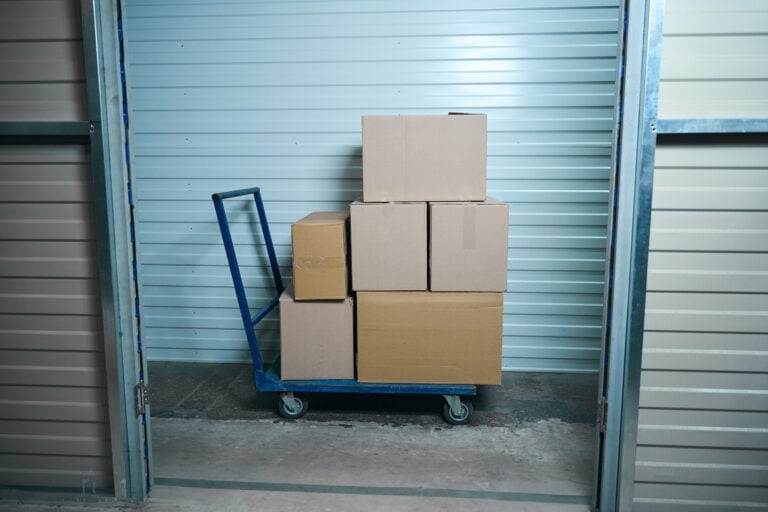
People often think of self-storage as a place to dump things they can’t decide about. But that’s selling it short. A rented storage unit is a thoughtful, intentional extension of your home — a place where belongings are preserved, organized, and accessible whenever you need them.

Think about life’s big transitions: moving to a new city, downsizing after the kids leave, blending households after marriage, or managing an estate after losing a loved one. In every one of these moments, you’re faced with a mountain of possessions and very little time to sort through them with care. Rented storage units give you breathing room — literally and emotionally.

Protecting What You Value Most

Not everything we own has a monetary price tag, but everything meaningful deserves protection. Family heirlooms, vintage furniture, old photographs, sports equipment, seasonal wardrobes — these items matter. Leaving them crammed into a damp basement or a sweltering attic is no way to treat things you care about.

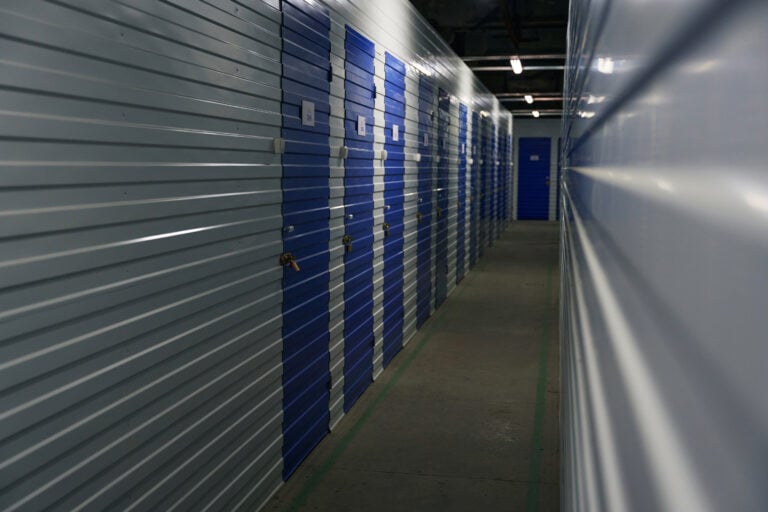
Modern storage facilities offer climate-controlled units, security systems, and clean, well-maintained spaces specifically designed to keep your belongings in excellent condition. When you rent a storage unit, you’re not just finding a place to put things — you’re actively choosing to take care of them.

Living with Less Clutter, More Clarity

There’s a real psychological toll to living surrounded by clutter. When your home is overflowing with stuff, it can feel chaotic and overwhelming, even when everything technically “has a place.” Rented storage units allow you to simplify your living space without being forced to let go of things permanently.

This is the beauty of it. You’re not choosing between keeping your memories and having a clean, functional home. You’re choosing both. The seasonal decorations go into storage after the holidays. The childhood keepsakes are safely stored while your kids grow up. The extra furniture gets held until you find the perfect spot for it.

Your home becomes lighter. You feel lighter.

A Flexible Solution for Real Life

One of the strongest advantages of rented storage units is their flexibility. Most facilities offer month-to-month rental agreements, various unit sizes, and drive-up access options. Whether you need a small space for a few boxes or a large unit for furniture and appliances, there’s almost always a size that fits your needs — and your budget.

Business owners use them for inventory and equipment. Hobbyists store gear they use seasonally. Families in transition use them as a temporary home for belongings between moves. The range of uses is wide, and the commitment is entirely on your terms.

The Right Time to Start

If you’re feeling crowded in your own home, or if there are items you love but simply don’t have room for right now, renting a storage unit might be the most practical decision you make this year.

You don’t have to choose between living well and holding onto what’s meaningful. With a rented storage unit, you can do both — and finally stop tripping over that box in the garage.