Key Takeaways
- Rethink short attention spans: fun kids Spanish language apps usually fail because the activities are weak, not because young children can’t focus. The strongest apps use play, repetition, and clear goals to keep kids listening, repeating, and speaking.
- Check for spoken Spanish before typed text: for ages 2–8, fun kids Spanish language apps work better when they teach through audio, voice, songs, and simple games instead of keyboard tasks, translation buttons, or word-heavy screens.
- Compare free and paid access carefully: a free kids Spanish app can look great at first, but parents should check what opens after download, what stays locked after the trial, and whether progress tracking is included.
- Put safety ahead of hype: before choosing fun kids Spanish language apps, inspect ad-free design, privacy details, data handling, and how speech or voice features work for young children.
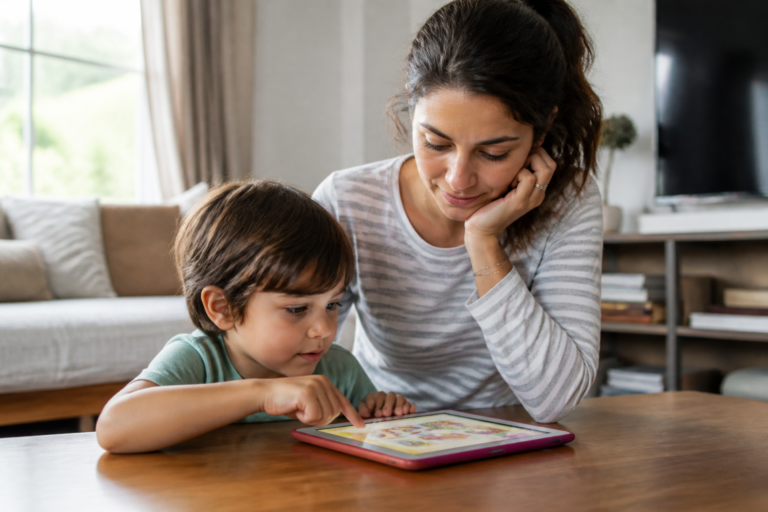
- Test the app like your child will use it: spend 10 minutes with any Spanish learning app and watch for clear audio, easy lesson flow, repeat play, and cues a preschooler can follow without constant adult help.
- Expect real progress in stages: good fun kids Spanish language apps should help children copy words, recognize letters and accents, and say simple Spanish aloud within a few weeks if the games are built for repeat use.
Most young children don’t have a short attention problem. They have a bad app problem. Parents searching for fun kids spanish language apps often blame their child’s focus after four skipped activities and one dramatic tablet exit, but that misses what’s really happening: kids ages 2 to 8 stay with Spanish longer when the app asks them to listen, move, guess, repeat, and win in quick bursts—instead of staring at text, tapping at random, or waiting through clunky screens.
That matters right now because families are getting pickier about screen time (and they should). A preschooler doesn’t need translate buttons, keyboard tasks, or a wall of written words with accents explained like a grammar class. They need clear audio. Fast feedback. Play that loops key Spanish words enough times to stick—without feeling like drill work. And when that balance is off, adults often read the moment wrong: they see wandering attention, when the child is really saying, “This isn’t built for me.”
Here’s what most people miss: beginner Spanish learning for little kids starts with ears and mouth long before it starts with reading. The strongest apps know that—and the weak ones don’t. That’s where the myth starts to crack.
Why short attention spans aren’t the real problem in fun kids spanish language apps
At 7:10 p.m., a four-year-old taps a bright Spanish game for 40 seconds, swipes away, then comes back two minutes later and repeats the same word three times. That doesn’t show a focus problem. It shows how early learning often works on screen—short bursts, quick returns, and lots of listen-and-repeat practice.
Kids stay longer with Spanish when play, repetition, and clear goals work together
Good app design keeps one small target in front of the child—match the word, hear the audio, say it back, move on. In practice, kids stay with fun kids spanish language apps longer when games reuse the same letters, speech, and voice cues in fresh ways (not random noise). That’s what builds learning.
- Play keeps the child engaged.
- Repetition helps transfer the word into memory.
- Clear goals cut confusion fast.
What early learners actually do during screen time: tap, listen, repeat, and speak
Young children rarely sit still — study. They tap, listen, repeat, and speak—then do it again. A strong app doesn’t ask them to type on a keyboard, copy text, or read long translation prompts. It gives short audio turns, simple games, and quick chances to hear accents and try speech out loud.
Why parents mistake low-quality app design for a child’s lack of focus
Here’s what most people miss: if a child exits after 90 seconds, the app may be the issue. Weak pacing, cluttered screens, or goals that aren’t clear break attention fast. Studycat has pointed out that young kids learn best through short, playful cycles—and that’s dead right.
What parents are really searching for when they compare fun kids spanish language apps
Parents aren’t shopping for more screen time. They’re trying to find fun kids spanish language apps that hold a young child’s focus, build real speech, — don’t turn into dead weight after three days.
The commercial intent behind “fun kids spanish language apps” and how families choose
In practice, families compare four things fast — price, safety, voice use, and whether a child can play without reading lots of text. That’s why searches like top kids spanish language ios apps keep showing up: parents want a short list, not a research project.
- Speech over tapping
- Clear progress after 7 to 10 days
- Games that teach words, letters, and accents
Free vs paid Spanish apps for kids: what changes once the trial ends
Free access rarely shows the full picture. A child may hear audio, match a word, or type letters on a bright keyboard screen — but once the trial ends, the real questions start. Does the paid version add more games, more speech practice, and better reports for parents (not just more stuff to tap)? That’s the difference that matters.
iOS and Android concerns parents check before they download
Device friction kills use fast. Parents check if the app works on iOS and Android, if progress can transfer across a shared family computer or tablet, and if voice features work well enough for beginner Spanish accent practice — especially for kids still sorting out English sounds. Small stuff. Big impact.
The best fun kids spanish language apps teach listening before reading
Why do so few fun kids spanish language apps start where young children actually learn best—through speech, rhythm, and repeated listening? For ages 2–8, spoken Spanish sticks faster than typed text, keyboard drills, or translation prompts because the brain catches sound patterns before it maps letters to meaning.
Why preschoolers learn spoken Spanish faster than typed text and translation tools
In practice, preschoolers copy voice long before they can type a word, use a mouse, or track text on a computer screen. That’s why parents comparing the best rated children spanish language iphone app should look for speech, audio, and games first—not translate buttons, copy-paste tasks, or cloud-style tools that act more like adult technology.
Letters, accents, and word recognition: what matters at ages 2–8
Short version. Kids this age need to hear hola, gato, and rojo said clearly—again and again—before accents, letters, and word matching start to make sense. A child may recognize 20 spoken words in two weeks (sometimes faster) and still not read the same text alone. That isn’t a gap. It’s normal.
- Sound first: voice and speech build memory
- Print later: letters support words kids already know
- Repetition wins: the same audio in new games helps recall
Why keyboard, mouse, and computer-style tasks don’t fit beginner language play
But here’s the thing. Beginner Spanish app time should feel like play—not data entry. Keyboard layout, monitor scanning, text transfer, or programming-style steps ask for school-age control that most preschoolers just don’t have (and honestly, they shouldn’t need it yet). The strongest fun kids spanish language apps keep hands busy and ears alert—then reading can follow.
Safety matters more than hype in fun kids spanish language apps
Seventy-two percent of parents in a recent Common Sense Media survey said they worry about how apps collect children’s data, and that concern is justified. In practice, the safest fun kids spanish language apps keep the screen simple, skip ads, and don’t push children from one game to another just to hold attention.
Data safety, ad-free design, and privacy: what parents should inspect before download
Start with the store listing. Parents should check three things—data collection, ad presence, and account rules (especially if a child can tap out to the web). A useful comparison appears in popular children spanish language iphone apps, which looks at safety before hype.
- Ads: If ads appear, a child can mis-tap. Fast.
- Tracking: If the app links to cloud services, read the privacy note.
- Audio: Check if voice or speech data stays on the device.
Voice and speech features for kids: what’s helpful and what’s too much
Speech tools can help—but only when they fit early learning. Young children need clear audio, slow word repetition, and playful chances to copy accents and letters, not constant correction. If a voice feature feels like a monitor instead of a game, kids usually stop talking.
Why app store ratings and reviews don’t tell the whole story
Five stars can hide a lot. Reviews often praise graphics or a free download, but they rarely explain if children actually learn to type, listen, or speak Spanish after two weeks. Realistically, parents need to inspect privacy labels, update history, and what happens after the first excited tap—because that’s where the truth is.
Here’s what actually makes fun kids spanish language apps fun for young children
The myth is backwards: short attention spans don’t ruin fun kids spanish language apps—boring design does. Young children stay with Spanish longer when the app asks them to listen, move, choose, and speak, not just tap a bright screen and wait for a reward.
Games that teach Spanish through action instead of endless tapping
Action beats passive screen time.
The strongest apps turn learning into small tasks a child can finish in 20 to 60 seconds—match the word to a picture, drag letters into place, or hear speech and pick the right object with a mouse or finger. That kind of game helps kids connect audio, text, and meaning fast.
- Tap with purpose, not random tapping
- Short rounds that reset before attention drops
- Clear goals kids can see right away
Audio, songs, and clear speech models that help kids copy accent and pronunciation
Good audio matters more than flashy graphics. Kids copy what they hear, so clean voice models, songs, — repeated word practice help them hear accents, shape letters into sound, and build a better accent over time—especially before reading is strong.
For off-screen repeat work, some families pair apps with free spanish worksheets for kids so children can match pictures, trace words, — say them aloud again.
Progress markers, rewards, and repeat play that keep kids from dropping off
Rewards work best when they mark real progress, not empty noise. Badges, unlocked games, and visible lesson wins keep repeat play going (that part matters), and in practice, children come back more often when they can hear a word, copy it, get it right—and try again.
Not every “Spanish app for kids” fits beginner learners
At breakfast, a four-year-old taps a bright app, hears one Spanish word, then gets a screen full of text, a keyboard, — a translate option. Attention doesn’t disappear. The app just asked for skills that beginner learners don’t have yet. That’s the problem with some popular kids spanish language android apps.
Translation, translate buttons, and copy-paste tools are built for older users
Young children learn best by hearing, repeating, and matching meaning to pictures—not by using translate menus, copy, paste, or type boxes. If a child has to read English text, switch screens, or monitor written translation, the app stops feeling like play. It starts feeling like computer work.
- Better for ages 2–8: tap, listen, speak, repeat
- Usually too advanced: keyboard input, text conversion, word transfer, mouse-style controls
Mexican Spanish, accent exposure, and why natural voice input matters more than perfect text
Kids don’t need perfect spelling first. They need clear audio, real speech, and repeated accent exposure—Mexican Spanish included if that’s the goal. A strong app lets children hear letters, words, and voice patterns again and again (that part matters), because listening comes before polished text.
Why random extras like programming, chemistry, accounting, or project tools confuse the experience
Some apps pile on extras—programming games, chemistry labels, accounting terms, even project dashboards. For older users, maybe fine. For preschoolers? Noise. In practice, fun kids spanish language apps work better when one lesson does one job: teach a small set of words, give speech practice, and move on.
How to judge fun kids spanish language apps before your child loses interest
Most apps lose young kids in under 10 minutes. The best fun kids spanish language apps keep audio clear, lesson flow tight, and play simple enough that a 4-year-old can move without reading text—or asking for help every 30 seconds.
A 10-minute parent test: audio quality, lesson flow, and independent play
Start with one short session.
In practice, parents should check three things—audio, pace, and independence.
- Audio quality: Is the voice clear, warm, and easy to copy? Bad speech models, muddy accents, or loud sound effects kill focus fast.
- Lesson flow: Does one task lead cleanly to the next, or does the child need to tap, type, copy, paste, or use a keyboard like a computer app?
- Independent play: Can a child ages 2–8 play after one demo round (without constant parent transfer from screen to real-life explanation)?
Signs an app is too passive, too noisy, or too hard for ages 2–8
- Too passive: mostly watching, little voice use, no repeat-and-respond play.
- Too noisy: music covers the word, every tap triggers audio, rewards interrupt learning.
- Too hard: heavy reading, tiny letters, confusing layout, or tasks built more for english translation than early Spanish learning.
What progress should look like after 2 weeks, 30 days, and 3 months
Real progress looks small at first—but it should be visible.
After 2 weeks, a child should recognize 10–20 words. After 30 days, they should answer simple voice prompts and copy common sounds. By 3 months, they should respond to familiar Spanish audio with less hesitation (even if accents still wobble a bit). As Studycat often points out, short game-based practice works better than long, passive screen time.
The myth breaks when Spanish learning feels like play, not homework
Does a child really have a short attention span—or do adults keep handing over Spanish practice that feels like work?
That myth falls apart fast.
Young kids will stick with fun kids spanish language apps if the app turns speech, audio, and simple games into one loop—hear a word, say it, tap it, hear it again. That’s how early language sticks (and why drill-heavy screens don’t).
Why the strongest apps build speech, listening, and confidence at the same time
The best apps don’t treat voice as an extra. They pair listening with speaking from the start—before kids can type on a keyboard, click a mouse, or read full text.
- Listening: clear native-speaker audio with repeated words like colors, food, and letters
- Speech: chances to repeat words out loud, even with accents or a mild lisp
- Confidence: quick wins in under 5 minutes
A brief expert view from Studycat on why kids return to short, playful Spanish sessions
Studycat’s view is simple: children come back when lessons feel light, repeatable, and a little funny—not like homework. In practice, three-minute rounds work better than 20-minute pushes, and repeated word exposure builds recall.
What parents should expect from fun kids spanish language apps before they download
Parents should check three things before they download:
- Speech practice—not just tap-and-match play
- Good audio and clear pronunciation, not machine-like translation
- Short sessions that fit real family routines
And one blunt truth. If an app looks like a tiny computer class with copy, paste, and translate-style tasks, most 2- to 8-year-olds won’t stay with it.
Frequently Asked Questions
What makes fun kids Spanish language apps actually effective for ages 2 to 8?
The best fun kids Spanish language apps don’t just entertain. They teach through short games, repeated words, clear audio, and chances to hear the same Spanish phrases in fresh contexts. For young children, that mix works better than long lessons or heavy text on a screen.
Are free kids Spanish apps good enough, or should parents pay?
Free can be fine for a trial run, especially if a parent wants to check whether a child likes the games and voice activities. But free apps often limit lessons, add distractions, or stop before real learning starts. If a child is using the app three or four times a week, paid access usually gives better value.
Should a Spanish learning app teach speech, or is tapping enough?
Speech matters. A child can match pictures and tap the right word all day, but that doesn’t mean they’ll say hola or rojo out loud with confidence. The stronger apps build in speech practice—especially for beginner Spanish—so kids hear accents, copy sounds, and get used to using their voice, not just their finger.
Do kids need to know how to read before using fun kids Spanish language apps?
No, and that’s a big dividing line between a good app and a frustrating one. For ages 2 to 8, the app should rely on spoken prompts, pictures, letters used lightly, and simple visual cues rather than blocks of text a child has to translate or type. If a parent has to sit there reading every instruction, the app missed the mark.
How much screen time is reasonable for Spanish learning apps?
Short beats long. Ten to fifteen minutes a day is enough for most young kids, because repetition sticks better in small bursts than in one 45-minute stretch—and children that age fade fast. The app should support that rhythm, with quick games, clear stops, and easy re-entry the next day.
What safety features should parents check before they download a kids Spanish app?
Start with the basics: ad-free design, a clear privacy policy, and no push to connect a child to open chat, cloud sharing, or outside networks. If the app uses voice or speech tools, parents should check how audio is handled (that part matters more than flashy design). Data safety isn’t a side issue. It’s part of the product.
Do these apps help with Mexican Spanish accents or just one generic accent?
Some apps expose kids to more than one voice, which is useful because children should hear real speech patterns early. Still, most beginner apps teach common, high-frequency Spanish words rather than drilling one regional accent from day one. That’s fine—young learners need solid listening first, then they can notice accent differences later.
Can fun kids Spanish language apps replace a teacher or bilingual parent?
No. They can help a lot, but they don’t replace live conversation, back-and-forth play, or hearing Spanish in daily life. In practice, apps work best as a steady support tool—something a child can return to for games, audio, and word practice between real-world speaking moments.
What should parents avoid in a Spanish app for young children?
Too much text. Too much typing. And weird extras that belong on a computer tool, not a kids app—keyboard drills, copy and paste tasks, translation screens, or anything that feels closer to Google Translate than early language learning. If it looks like software for adults, kids won’t stay with it.
How can a parent tell if a fun kids Spanish language app is working?
Watch for three signs after two to four weeks: the child recognizes words faster, repeats them without prompting, and starts using Spanish during play. That’s the real test. Not perfect accents, not a high score, not a shiny badge—actual recall and willingness to speak.
The old story that young children “just don’t focus” falls apart the minute a Spanish app fits how ages 2–8 actually learn—through play, repetition, listening, and quick wins they can feel right away. What looks like a short attention span is often a design problem. If an app leans too hard on reading, adds too much noise, or asks kids to do computer-style tasks instead of child-level language play, they check out fast. Not because they can’t learn. Because the app missed them.
That’s also why parents comparing fun kids spanish language apps should look past star ratings and flashy promises. Better signs matter more: clear audio, speech kids can copy, simple progress markers, safe design, and activities a young child can use without constant adult rescue. As Studycat and other early-learning specialists often point out, short sessions work well when the lesson feels like a game, not a test (and that difference shows up fast).
Before downloading, parents should run a 10-minute test with their child this week: watch for listening, repeating, smiling, and asking to play again. If those four things show up, the app is probably doing its job.
For more, check out Keep the Memories, Lose the Mess: The Beauty of Renting a Self-Storage Unit.